Step counting, made social

Walk more,
together.

WakaBuddy reads the steps your phone or watch already counts and turns them into a leaderboard with the people you actually know. No new gadget. No battery drain. Just the walk, and someone to beat.

iPhone and Android · Apple Health, Health Connect, Samsung, Xiaomi, Fitbit, Garmin and more

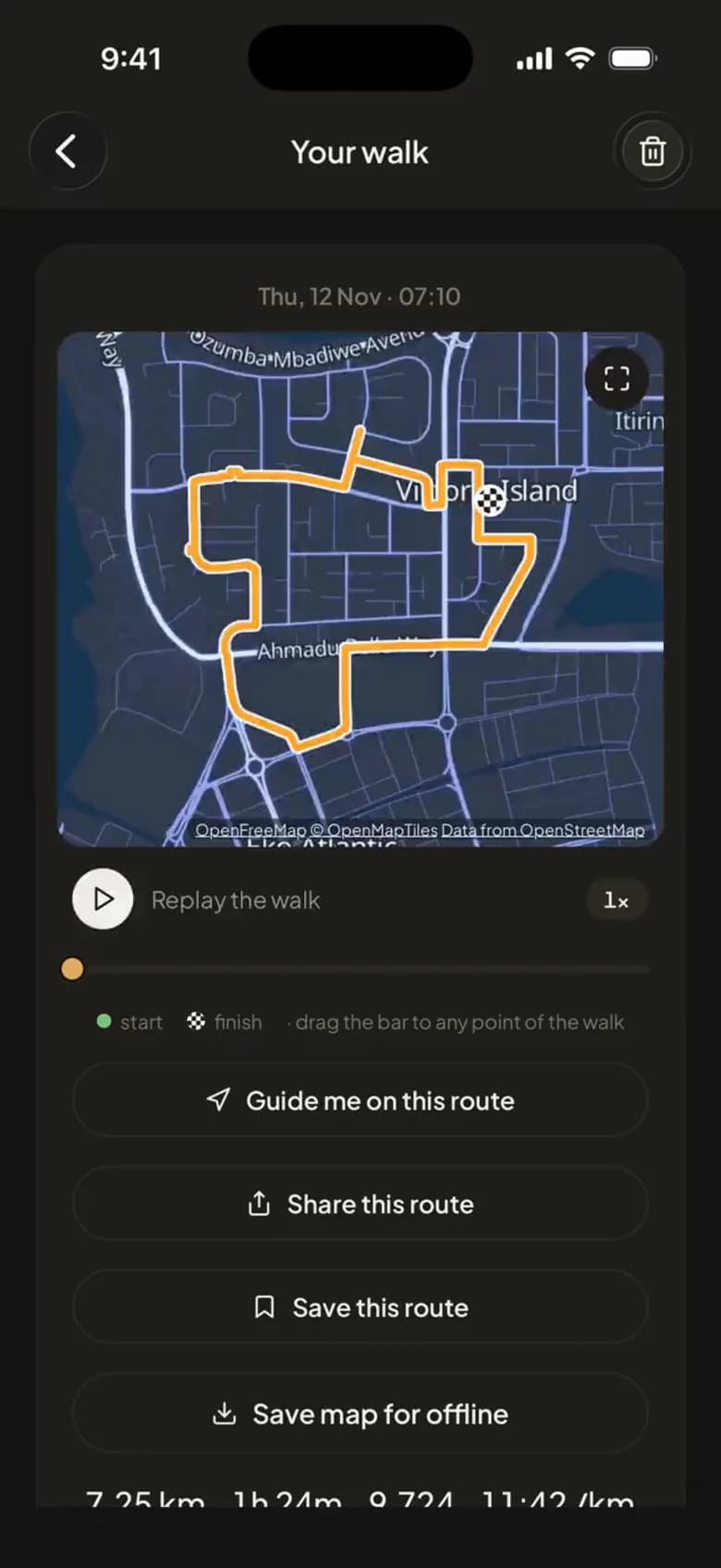
A recorded walk on a dark map, with Replay, Guide me and Share.
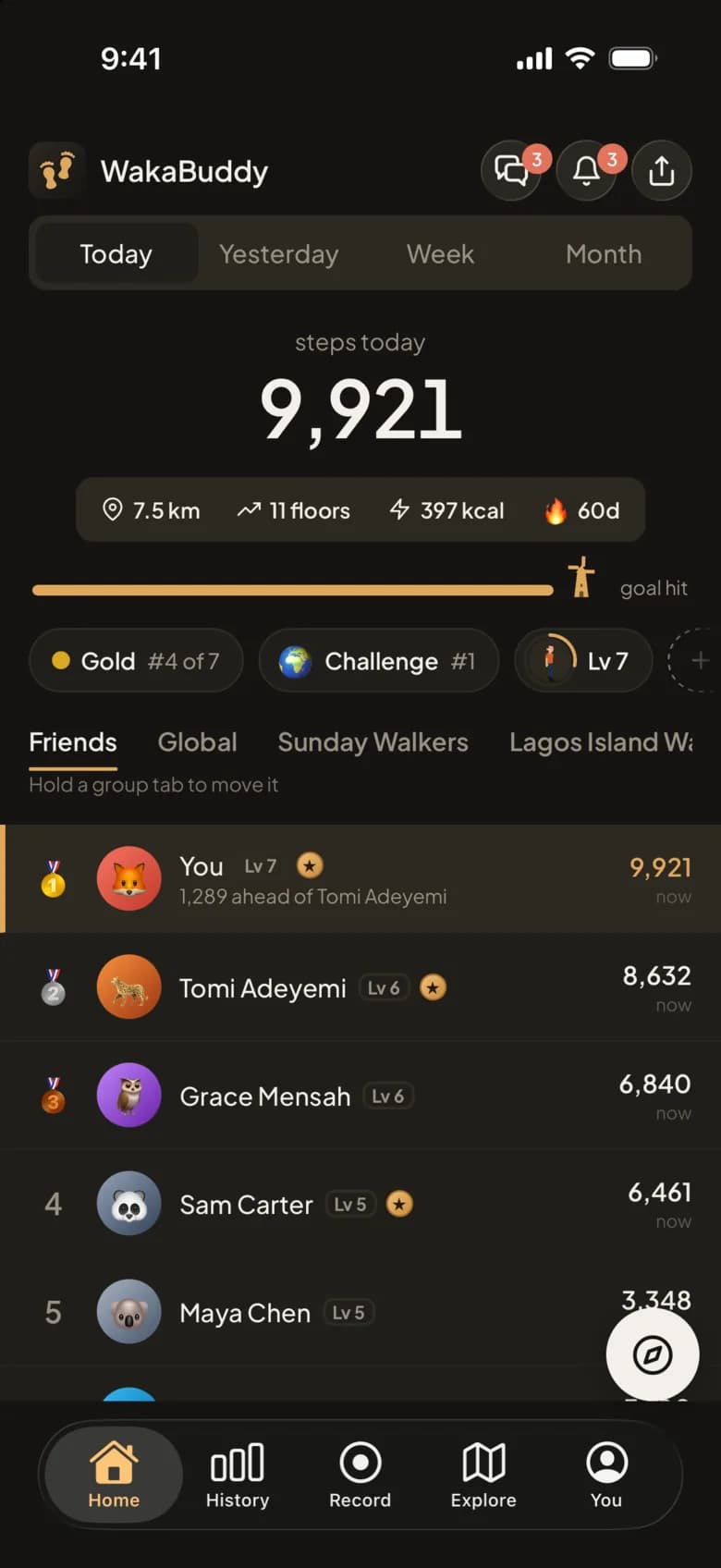
WakaBuddy Home: today's steps, the goal and a board of friends.
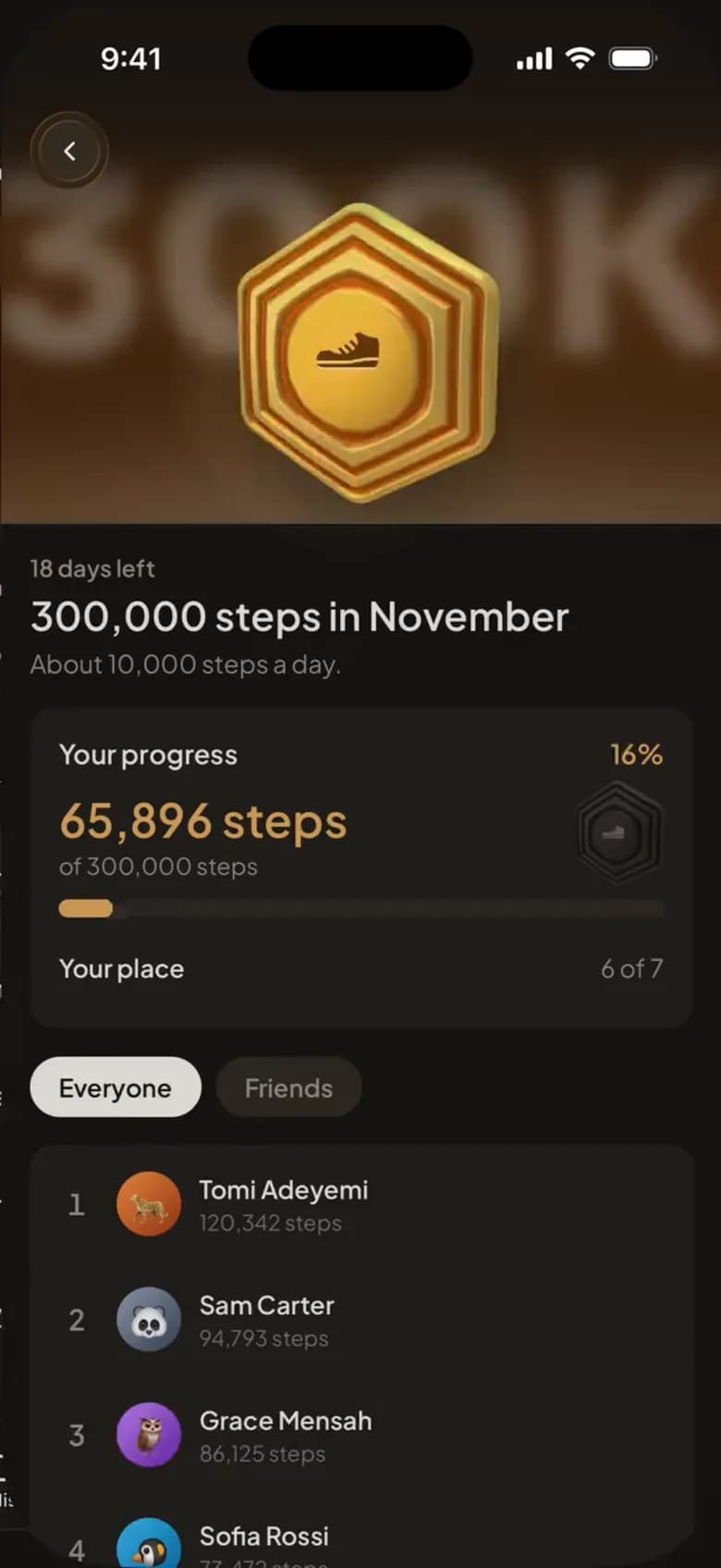
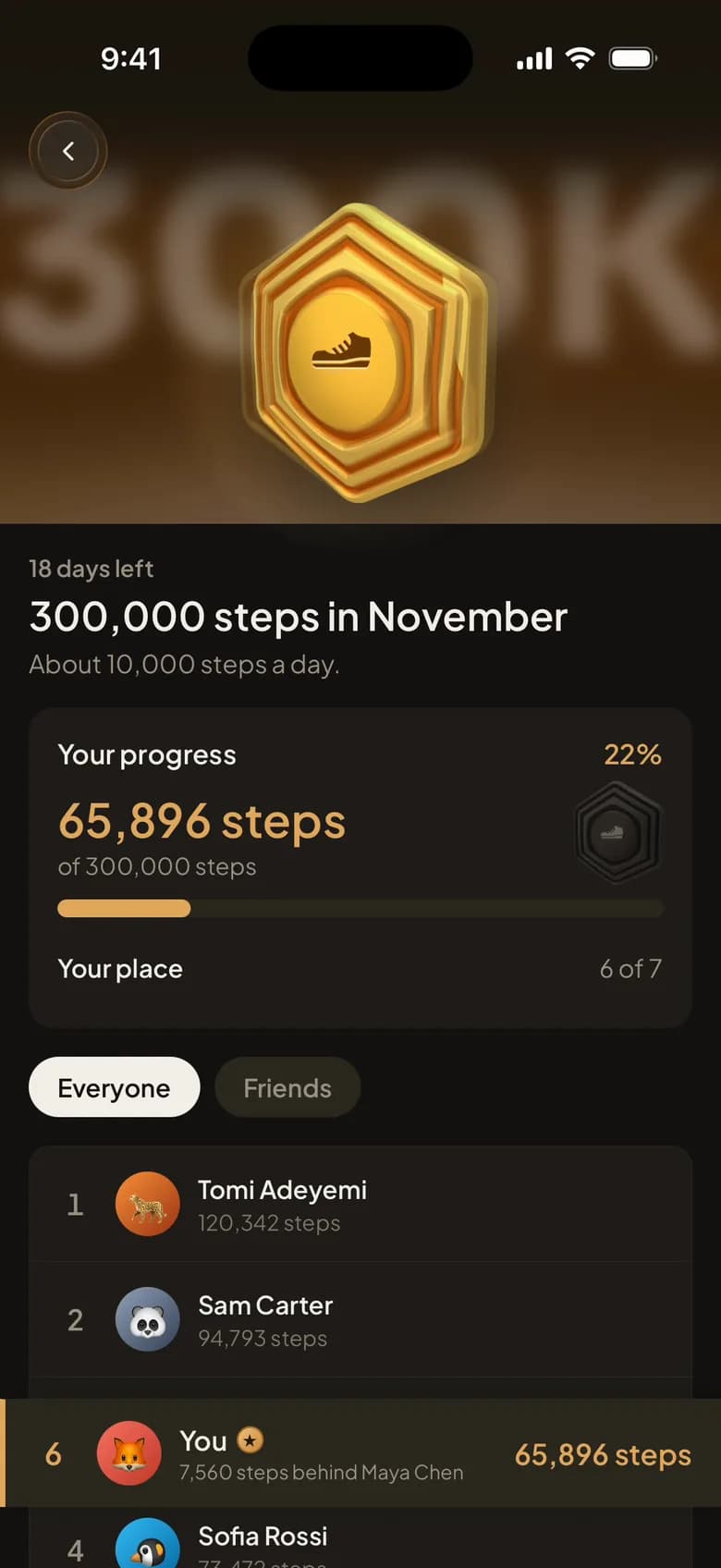
A 300,000 steps in November challenge with its medal and standings.

Works with what's already on your wrist

  • Apple Health
  • Health Connect
  • Samsung Health
  • Mi Fitness
  • Fitbit
  • Garmin
  • Google Pixel Watch
  • Amazfit
  • Huawei Health
  • Oura
  • Whoop
  • Apple Watch
  • Apple Health
  • Health Connect
  • Samsung Health
  • Mi Fitness
  • Fitbit
  • Garmin
  • Google Pixel Watch
  • Amazfit
  • Huawei Health
  • Oura
  • Whoop
  • Apple Watch

How it works

Set up in a minute.

Nothing new to wear and nothing to charge. The steps you've already taken today count the moment you say yes.

  1. 1Connect what you already wearApple Health on iPhone, Health Connect on Android. One permission and today is in.
  2. 2Start a challenge, invite the groupFamily, office, church, gym. Share one link, with a countdown everyone can see.
  3. 3Watch the board moveLive ranks, streaks and cheers in the group chat. The competition is the point, and it's free.

Inside the app

More than a step count. Follow the route through it.

Every screen below is the app as it is today. Most of it is free; the parts marked Plus come with WakaBuddy Plus.

  1. 01 · Today

    Your day, at a glance.

    Steps, distance, floors and calories straight from Apple Health or Health Connect, your goal filling up, and where you stand with your friends as they walk.

    • Counts from the phone in your pocket or the watch you already wear
    • Today, yesterday, this week or this month
    • Your streak and your league, a tap away
    How steps are counted
    WakaBuddy's Home screen: 9,921 steps today with the goal hit, and a board of friends' steps.
  2. 02 · Challenges

    A deadline makes people walk.

    Start one for the family, the office or your walking group and share the link. Everyone sees the same board, the same clock and how far there is to go.

    • Steps or distance, a weekend or a month
    • A target to hit together, or just who gets furthest
    • Recorded walks only, if you want it fair
    How challenges work
    A 300,000 steps in November challenge: its medal, your progress and the standings.
  3. 03 · Recorded walks

    Every walk, drawn.

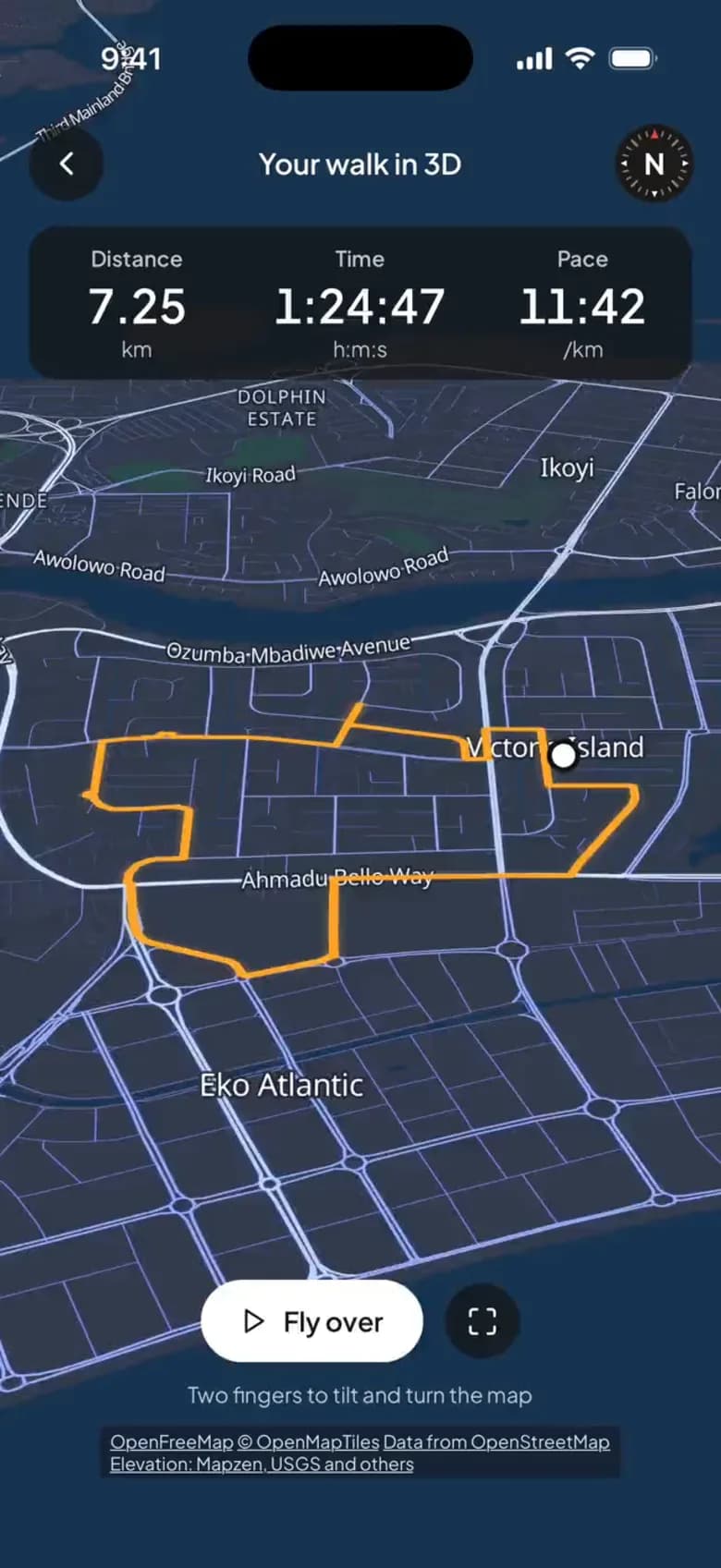
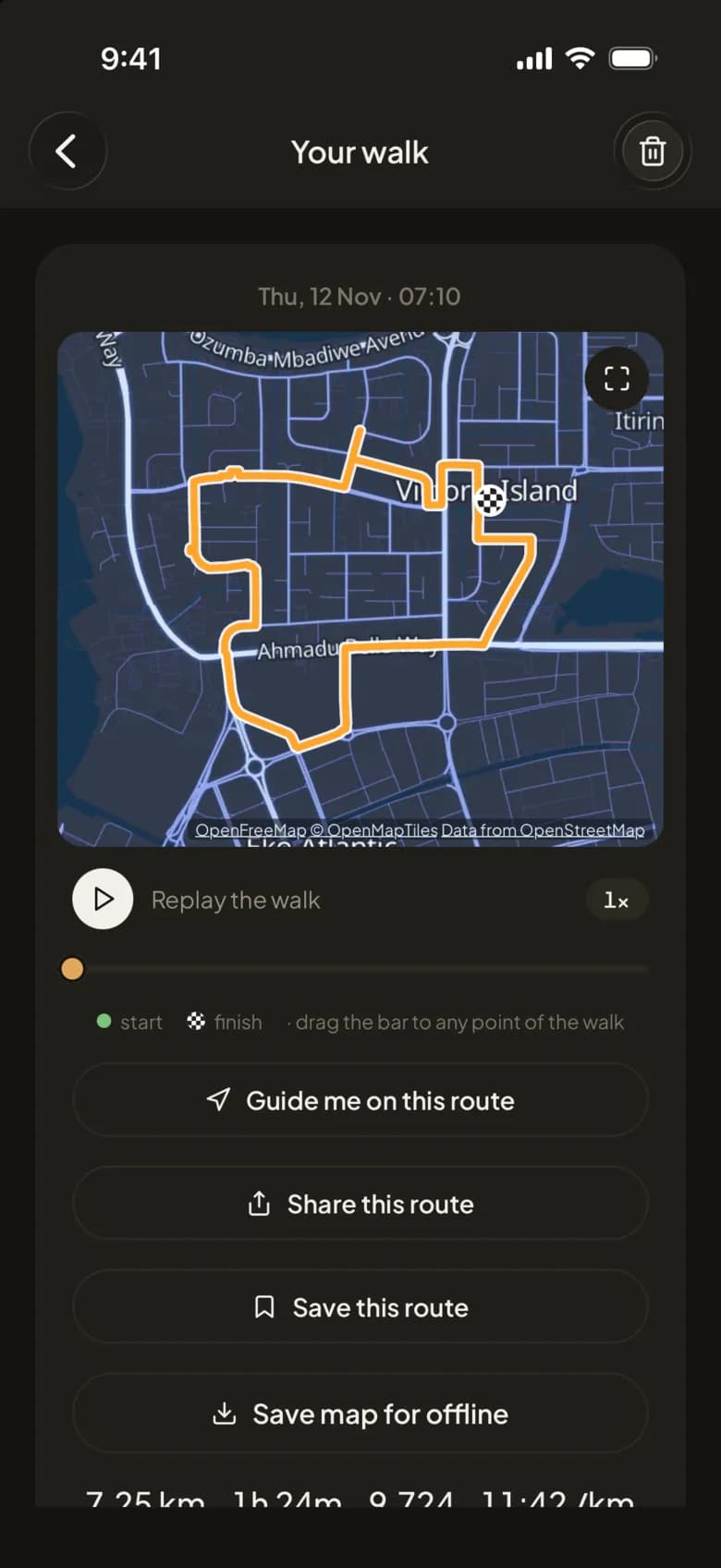
    Tap Record and your route is drawn as you go, with the phone locked in your pocket. Afterwards, replay it, save it as a route, or have it guide you round next time.

    • Distance, time, steps and pace for every walk
    • Your regular routes and best times, kept for you
    • Maps saved for offline, for when the signal drops
    How recording works
    A recorded 7.25 km walk on a dark map, with Replay, Guide me, Share and Save buttons.
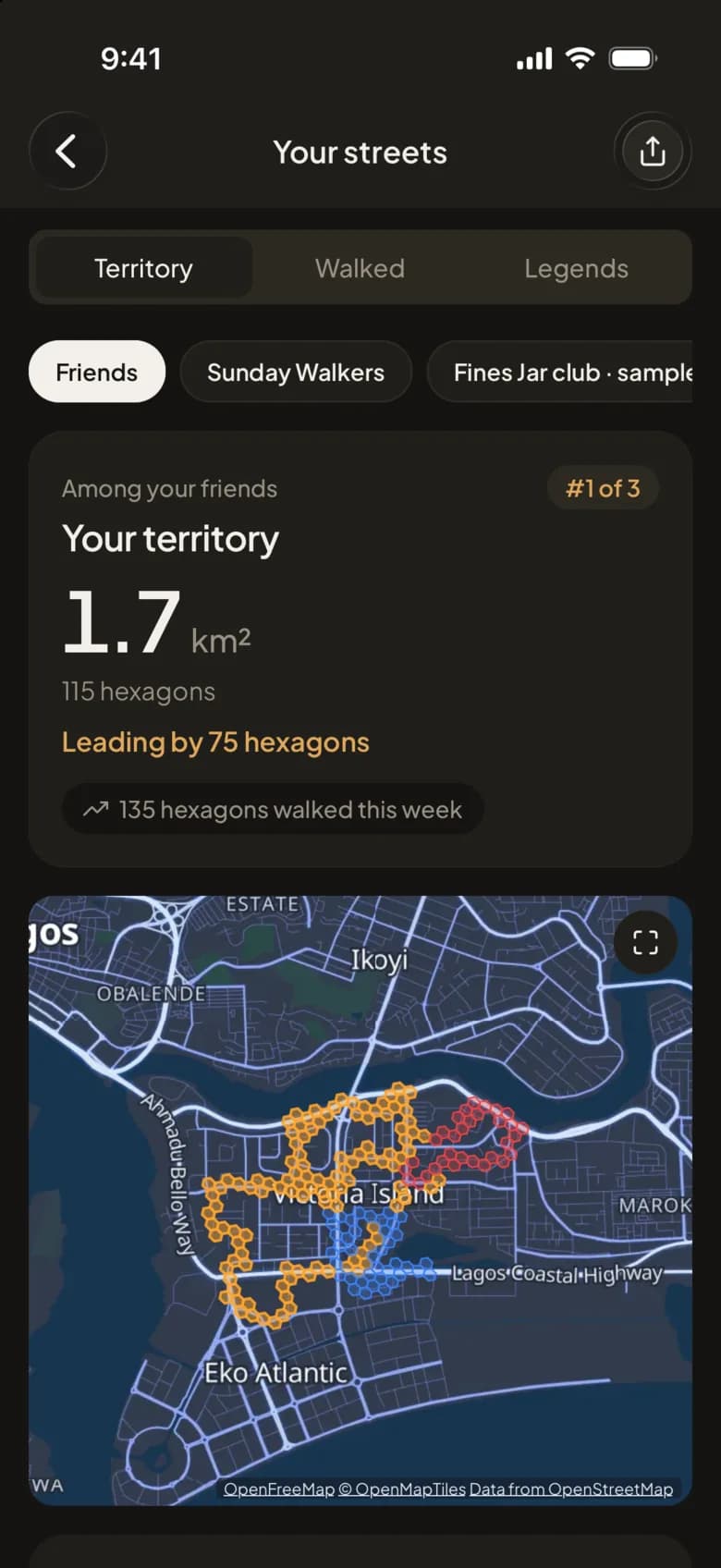
  4. 04 · Your streets

    Claim the streets you walk.

    Every recorded walk paints the map. Cover more ground than your friends and the territory is yours; walk a street more than anyone and you're its Local Legend.

    • Territory among friends, in each group, or everywhere
    • Every street you've walked, lit up
    • Turn Local Legends off any time in Settings
    Your streets: 1.7 km² of territory, first among friends, with walked hexagons on the map.
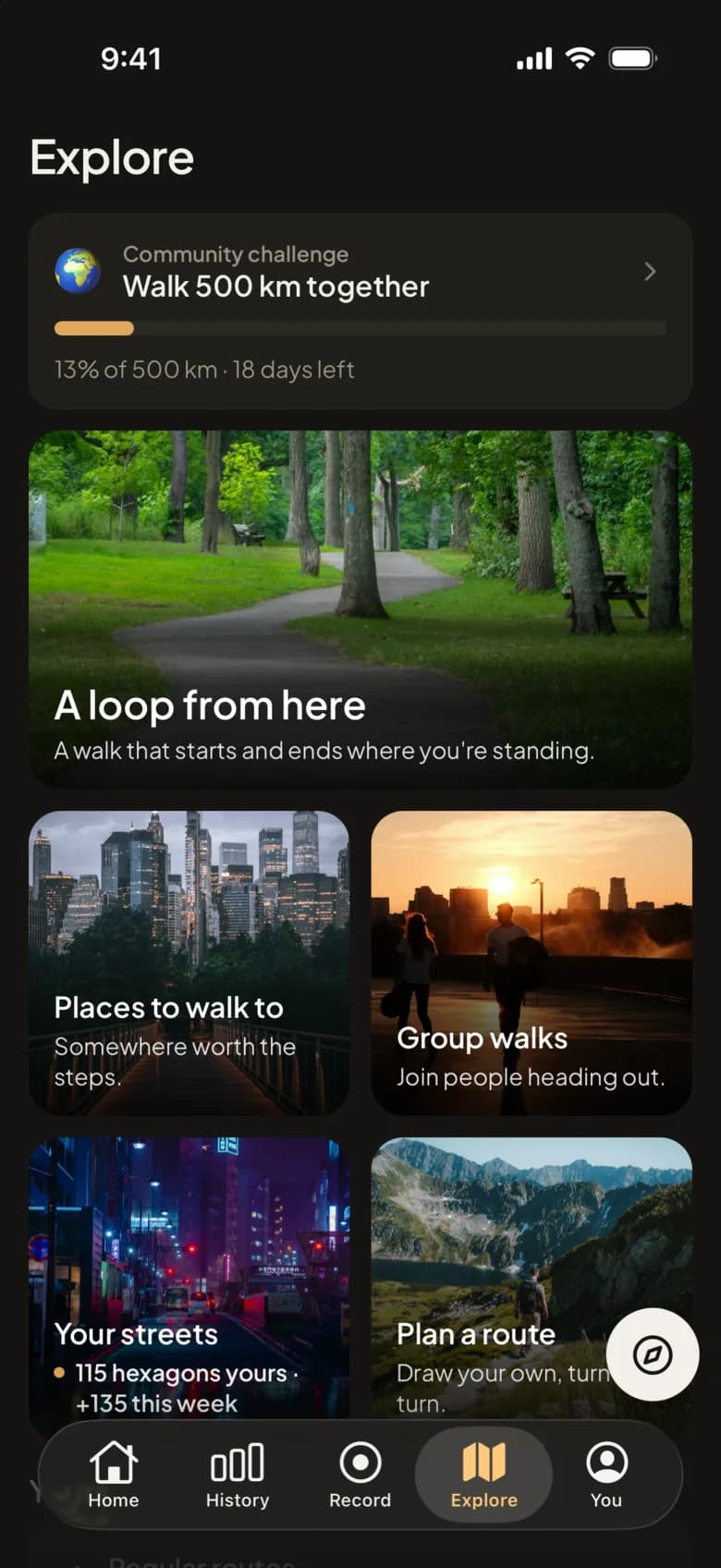
  5. 05 · Explore

    Somewhere to walk to.

    Loops that start and end where you're standing, places worth the steps, group walks heading out near you, and a builder for drawing your own route.

    • Pick a distance and get a few loops to choose from
    • Parks, waterfronts and markets other walkers go to
    • Join a group walk, or start one
    Finding places to walk
    Explore: the community challenge, A loop from here, Places to walk to, Group walks and Plan a route.
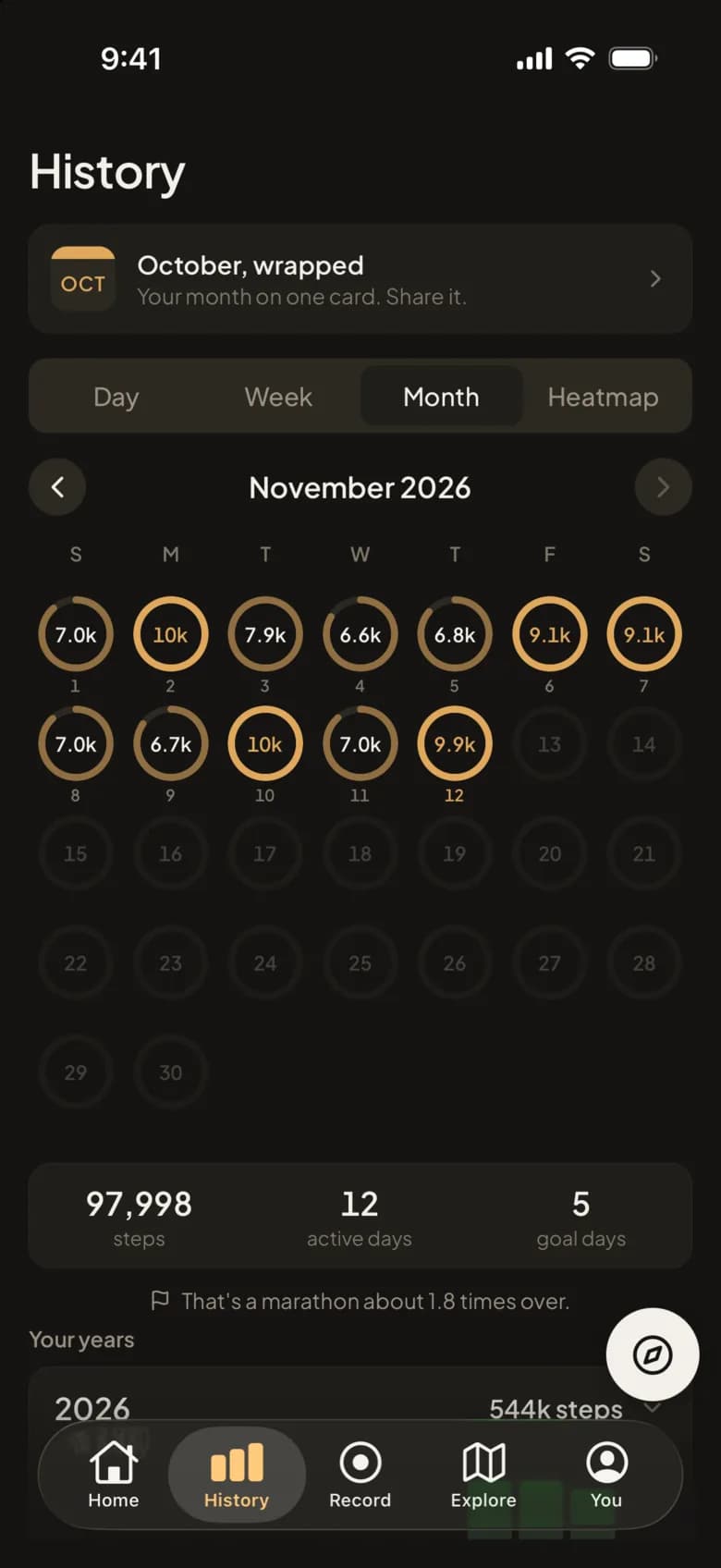
  6. 06 · History

    Every day you've walked.

    A ring for each day, weeks and months side by side, and a heatmap of everywhere you've been. At the end of each month, your month on one card.

    • Tap any day to see it in full
    • Your years, one under the other
    • Change your goal whenever it stops fitting
    History: November as a calendar of step rings, with 97,998 steps and 5 goal days.
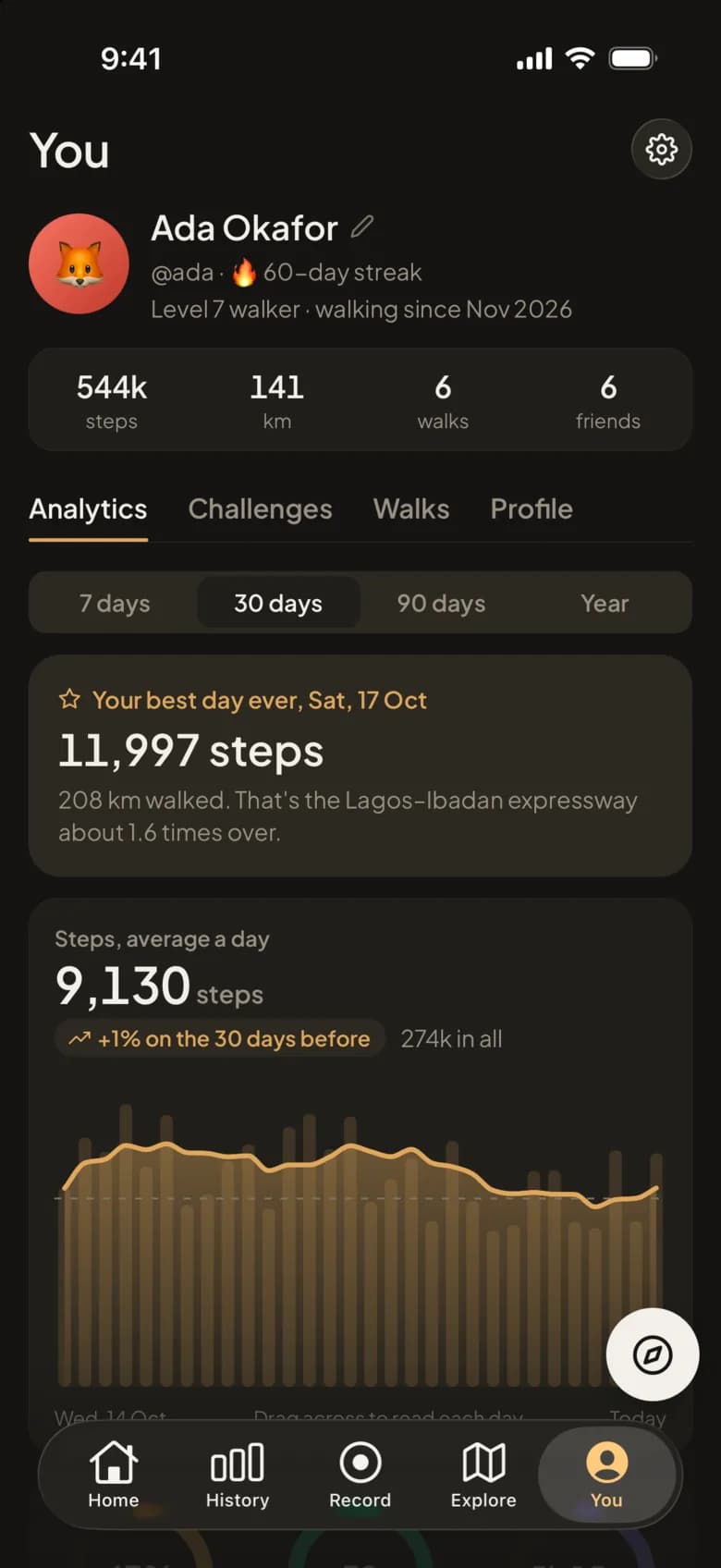
  7. 07 · Analytics

    See whether you're getting better.

    Your best day, your daily average over a week, a month, three months or a year, and how it compares with the time before. Best efforts show your quickest kilometre, 5 km and 10 km.

    • Trends from your own history, not a generic target
    • Resting heart rate and sleep, when your watch shares them
    • Everything in km or miles
    Analytics on the You tab: best day ever at 11,997 steps and a 30-day average of 9,130.
  8. 08 · Badges and levels

    Something to earn.

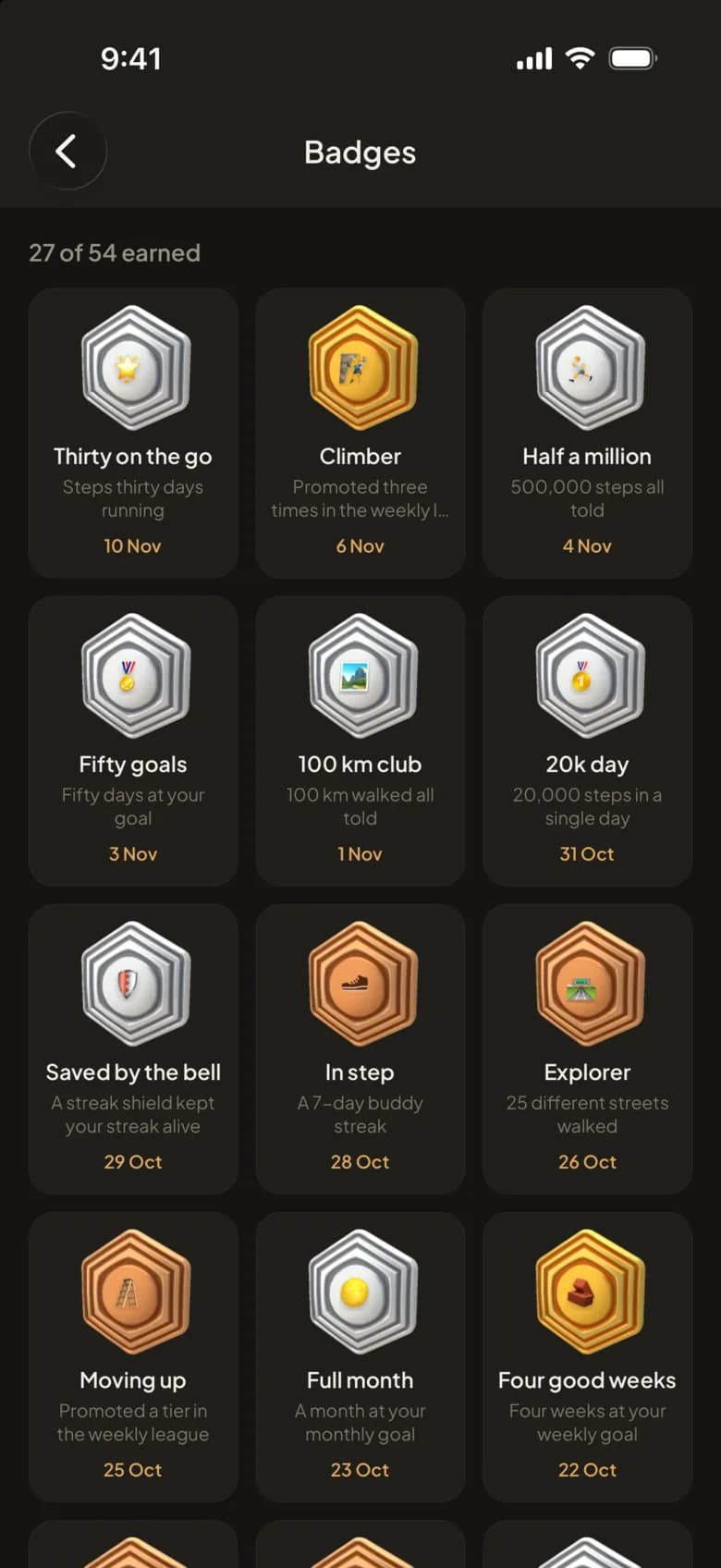
    Badges for streaks, distances and big days, levels that rise as you walk, and leagues that move each week. Each one gets its moment when it lands.

    • Newest first, then the ones you're closest to
    • Weekly leagues from Bronze to Legend, and Elite each month
    • Streaks with a shield for the day life gets in the way
    How leagues work
    Badges: 27 of 54 earned, including Thirty on the go, Climber and Half a million.
  9. 09 · Group chat

    Cheer. Nudge. Talk trash.

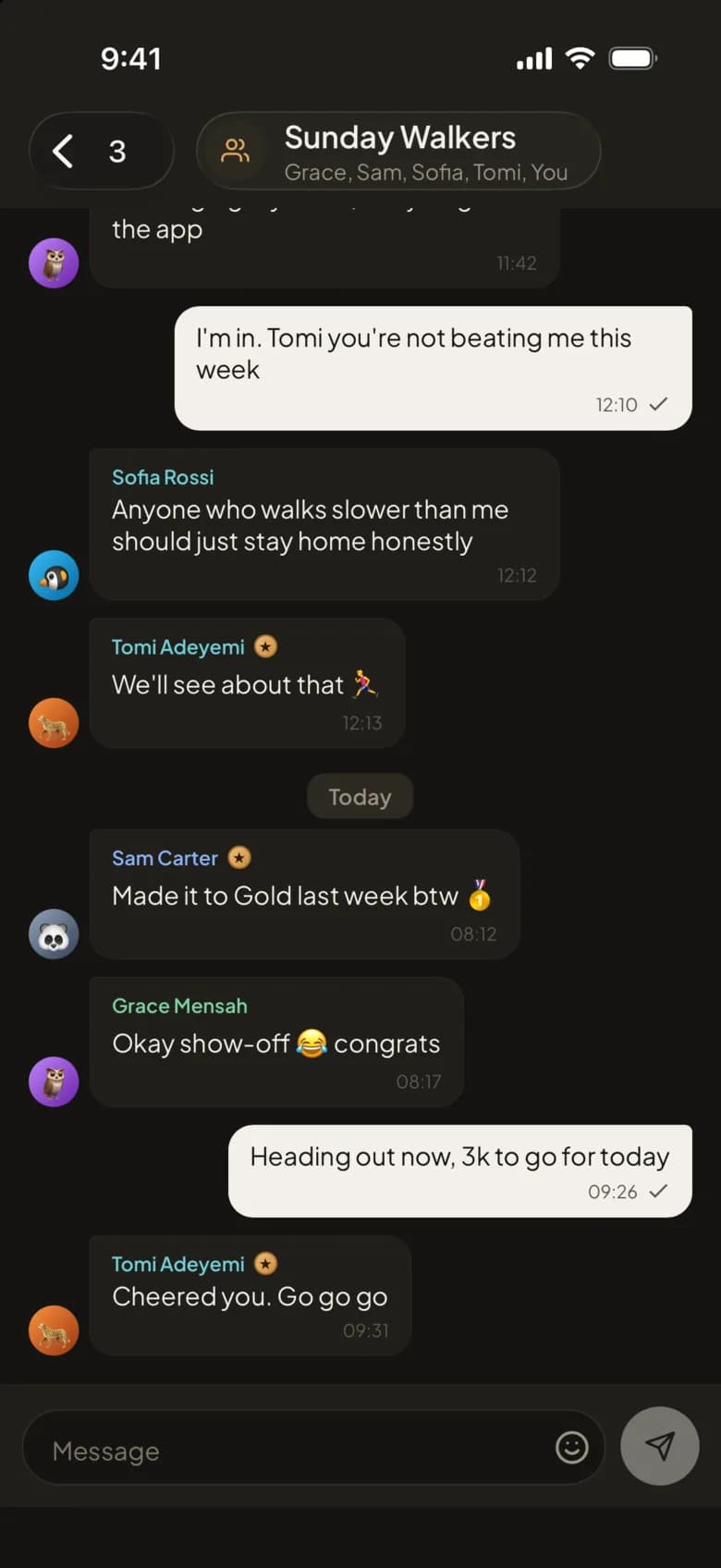
    Every group and challenge has its own chat. Cheer someone on, send a nudge when they've gone quiet, or remind the group who's on top.

    • Replies, reactions and GIFs
    • Friends and groups from a username or a link
    • Mute a chat, or block and report anyone in it
    Friends and groups
    The Sunday Walkers group chat, with messages, a cheer and a teasing reply.
  10. 10 · CoachPlus

    Ask about your walking.

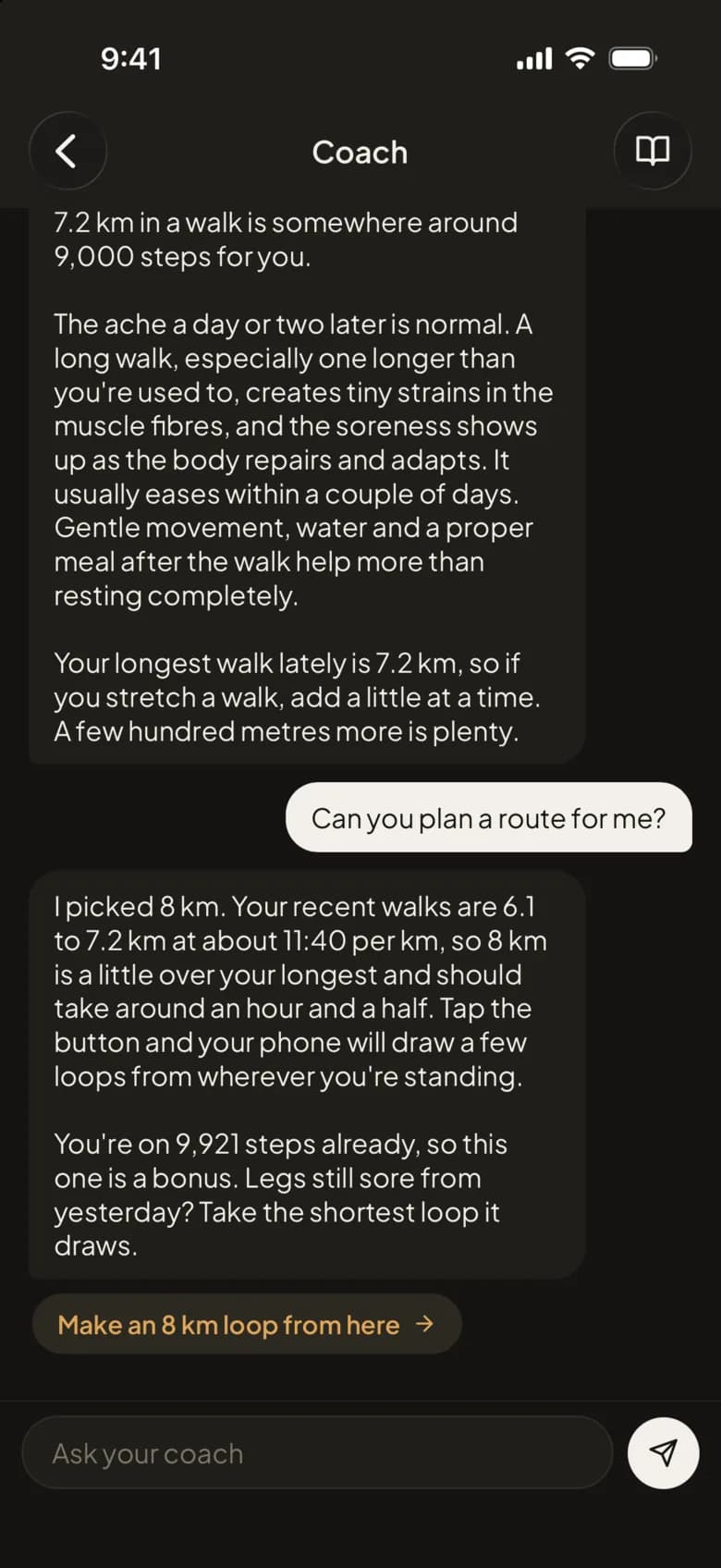
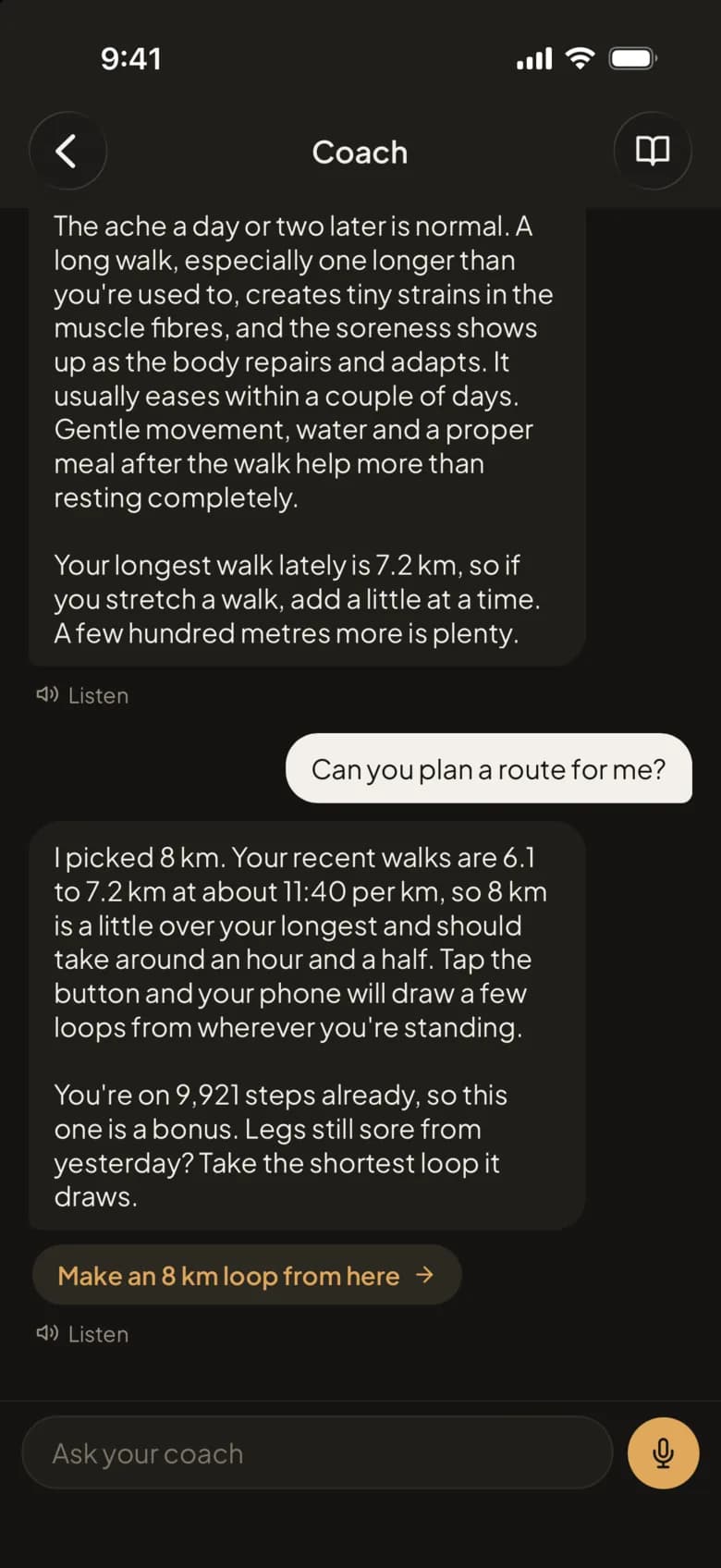
    The coach has read your recent walking. Ask it why your legs ache, how many steps make a kilometre or how to fit a walk into a busy week, and it answers from your own numbers.

    • Plans a route from your own walks, with a button to start it
    • Meal ideas from the foods you eat, as ideas, not a diet
    • Remembers what you tell it, and you can delete any of it
    About the coach
    The coach answering a question about steps and sore legs, then planning an 8 km loop.
  11. 11 · Widgets

    Your steps, without opening the app.

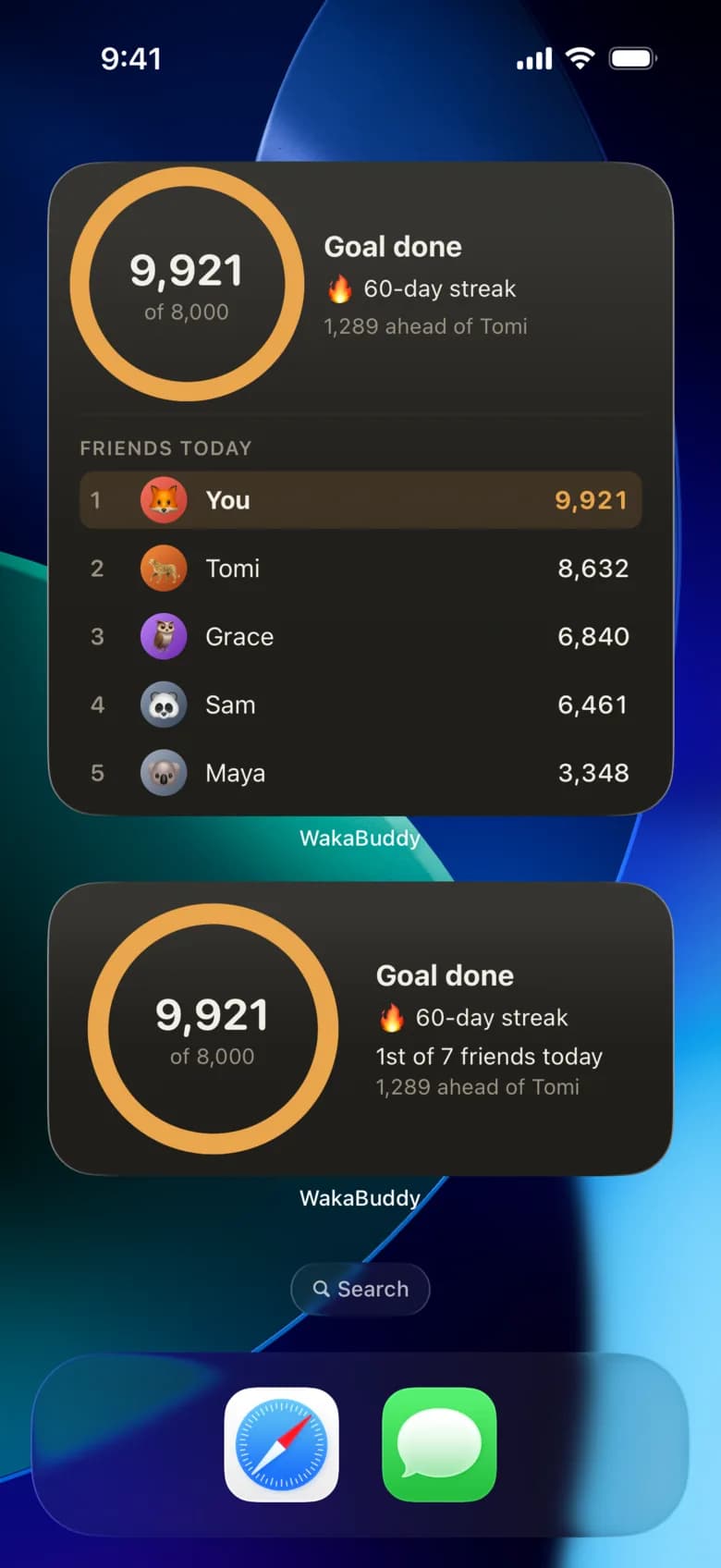
    Put WakaBuddy on your Home Screen and your day is there at a glance: the goal ring, your streak, and where you stand with your friends, kept up to date through the day.

    • From a small ring to the whole friends board
    • On iPhone and on Android
    • How far ahead you are, or how far behind
    Two WakaBuddy widgets on a Home Screen: 9,921 of 8,000 steps, a 60-day streak and the friends board.
  12. 12 · 3D viewPlus

    Your walk in 3D.

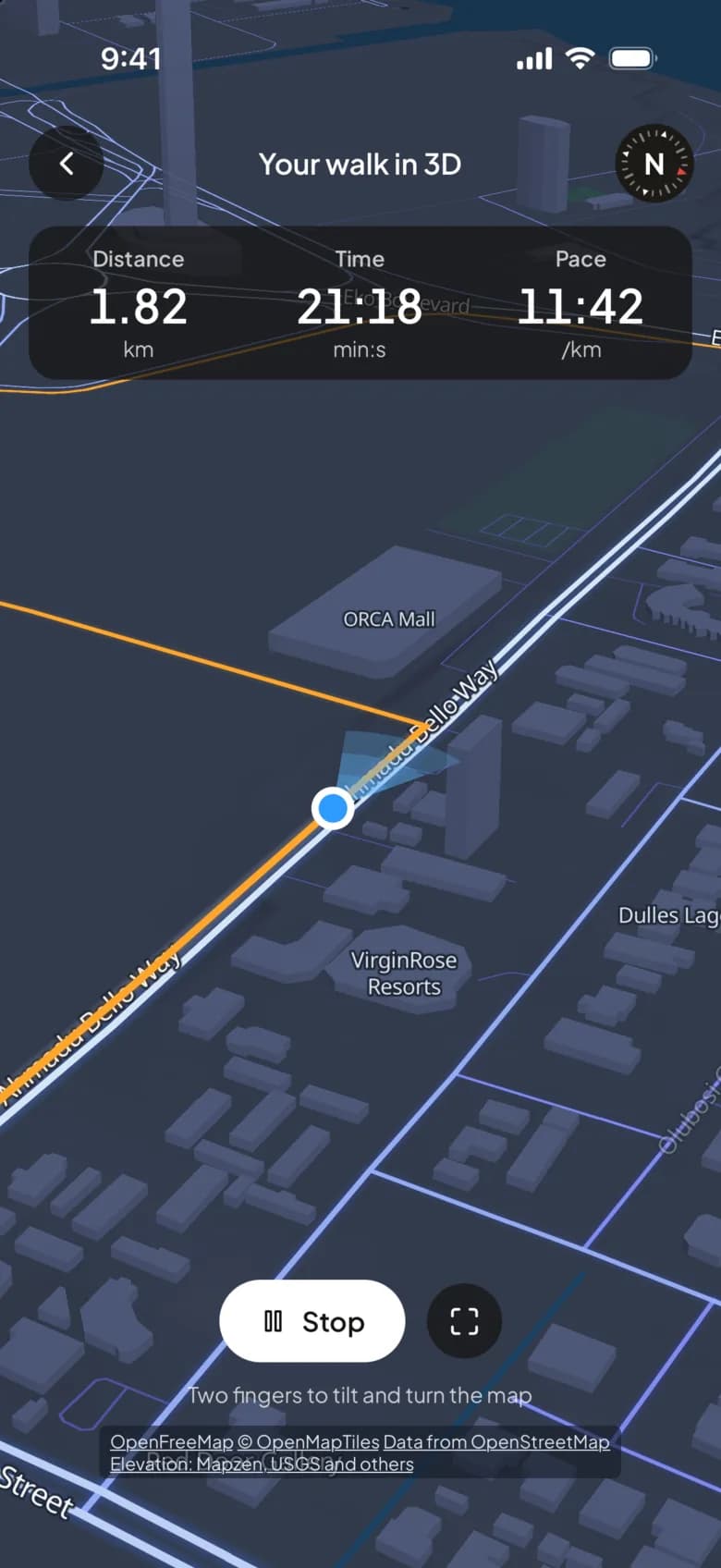
    Open a recorded walk or a planned route in 3D: the buildings standing at their real heights, hills shaded, and a flyover that follows your route with the distance and time counting up.

    • Fly over at street level, or tilt and turn it yourself
    • The way you were heading, shown at every turn
    • For your walks and for routes you've planned
    A walk in 3D: buildings along Ahmadu Bello Way, the route in orange and the walker mid-flyover at 1.82 km.
  13. 13 · Talk to the coachPlus

    Ask out loud.

    Tap the mic and ask your question instead of typing it, and tap Listen under a reply to hear it read out. Handy with your hands full or your phone in your pocket.

    • Your words fill the box, to check before you send
    • Understood on your phone where it can be
    • Listen on any reply, as often as you like
    The coach screen with Listen under each reply and the mic button beside the message box.

Privacy

Your walking, kept to what it's for.

Read the privacy policy
Read only with your permission
Apple Health and Health Connect ask before WakaBuddy reads anything, it reads only what it shows you, and it never writes to them.
Your daily totals reach us
Steps, distance and the like for each day, so friends see your day and your history is on any phone. Delete your account and all of it goes.
Location only while in use
Saved with a walk you record, and used to find loops and places near you. It isn't tracked in the background otherwise.
No ads, nothing sold
We don't sell personal data or share it for advertising. The coach never sees your email, your messages to people or your routes.

Groups

Top the week.
Carry the torch.

Every group has one torch. Walk the most from Monday to Sunday and it sits by your name all next week, where the whole group can see it. Then it's anyone's again.

  • · Weekly targets the group chases together
  • · Plan walks and see who's going
  • · Its own chat, for the cheering and the excuses

Office Walkers

Wednesday · this week

  • 1🐯Tolu0
  • 2🦩Kemi0
  • 3🦊You0
  • 4🐨Dayo0
🔥 Tolu has the torch this week, with 68,410 steps last week. It goes to whoever walks the most by Sunday.
WakaBuddy

Classic

WakaBuddy Plus

Your home screen,
your icon.

Swap the WakaBuddy icon for City, Trail, Neon, Starlit and twelve more. One tap in Settings, and change it back whenever you like.

ClassicCityTrailPathStrideCoastSummitSkylineConfettiDuoOutlineTrackNeonStarlitGreen & WhiteDuo OceanDawn

No new gadget.

No battery drain.

No excuses left.

FAQ

Questions, answered.

No. Your phone counts steps on its own and that's enough. A watch or band adds distance, sleep and resting heart rate when it shares them with Apple Health or Health Connect.

Counting steps barely touches it: WakaBuddy uses your phone's step sensor and the totals your watch already collects. GPS is on only while you're recording a walk's route, and it stops when you end the walk. Outside a recorded walk, nothing tracks your location.

Android phones, from Google Play, through Health Connect: Samsung, Pixel, Xiaomi, Tecno, Infinix and the rest, plus whatever writes into it, such as Galaxy Watch, Mi Band, Fitbit, Garmin and Amazfit. iPhones, from the App Store, through Apple Health, where Apple Watch and most fitness apps write.

Steps, boards, challenges, groups, chat and walks with On-the-go are free, and so are three coach messages a day. WakaBuddy Plus is a paid subscription, monthly, quarterly or yearly through the store, with a free trial the first time. It keeps all your history instead of 30 days, records each walk's route on a map, covers a missed day with a weekly streak shield, adds the organiser tools, and gives the coach more messages on a stronger model.

Your daily steps, distance and the vitals you choose to share, kept per day so boards and streaks work. A walk you record keeps its route on your account; anyone you share it with sees its shape, never where it was. The coach sends what it needs to answer to Anthropic, only once you've agreed. No selling, no ads. Disconnect any source in Settings and it stops straight away. The full policy is linked below.

Free. Forever, for steps.

Walk more, with the people you know.

Install, sign in, connect your health app. Your steps from today are already counted. Then send one link.